

OffiGo Guide Helps Buyers Compare Standing Desk Storage for Daily Work
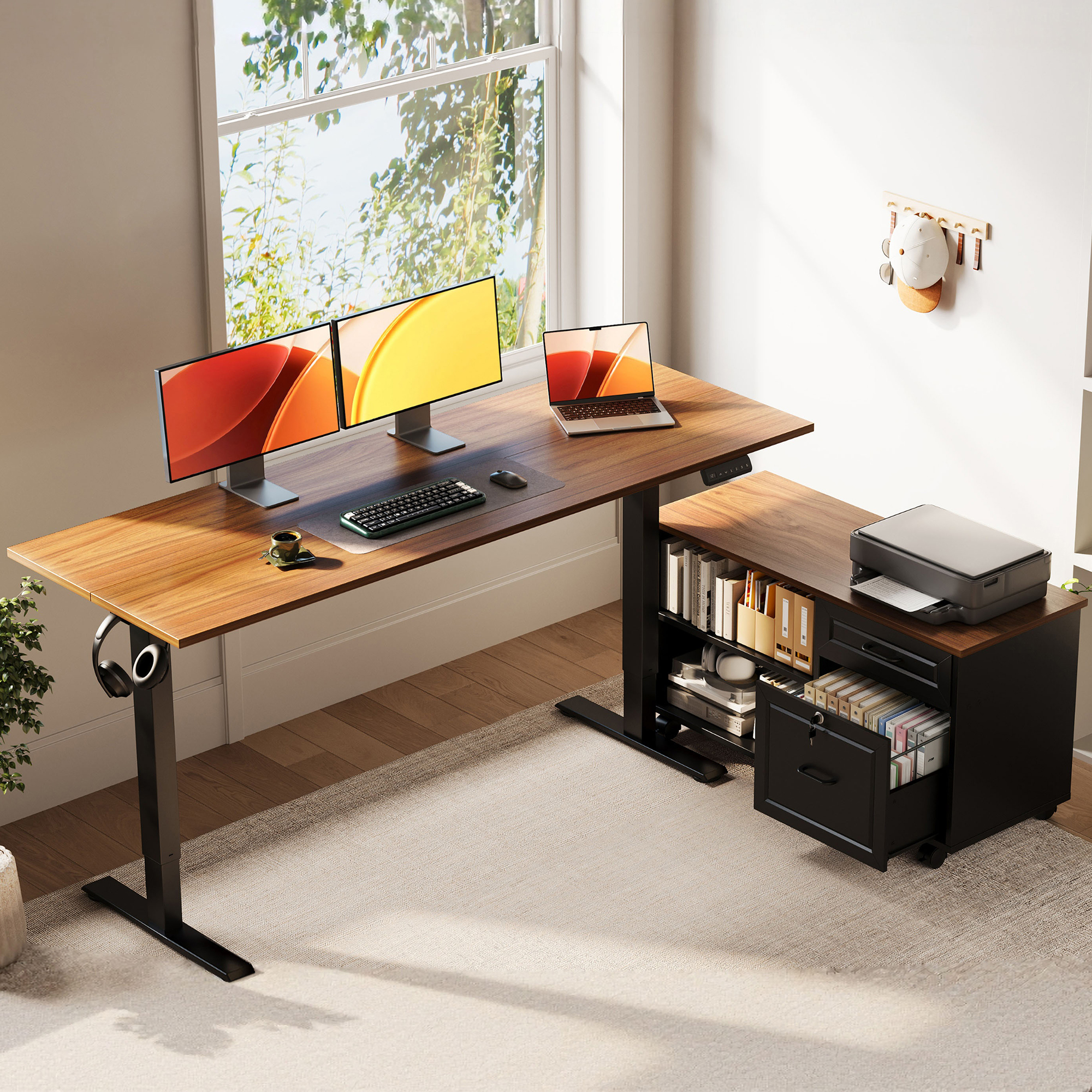
OffiGo 55 inch L-Shaped Height Adjustable Standing Desk with Large Movable Storage Cabinet for Office Workstations
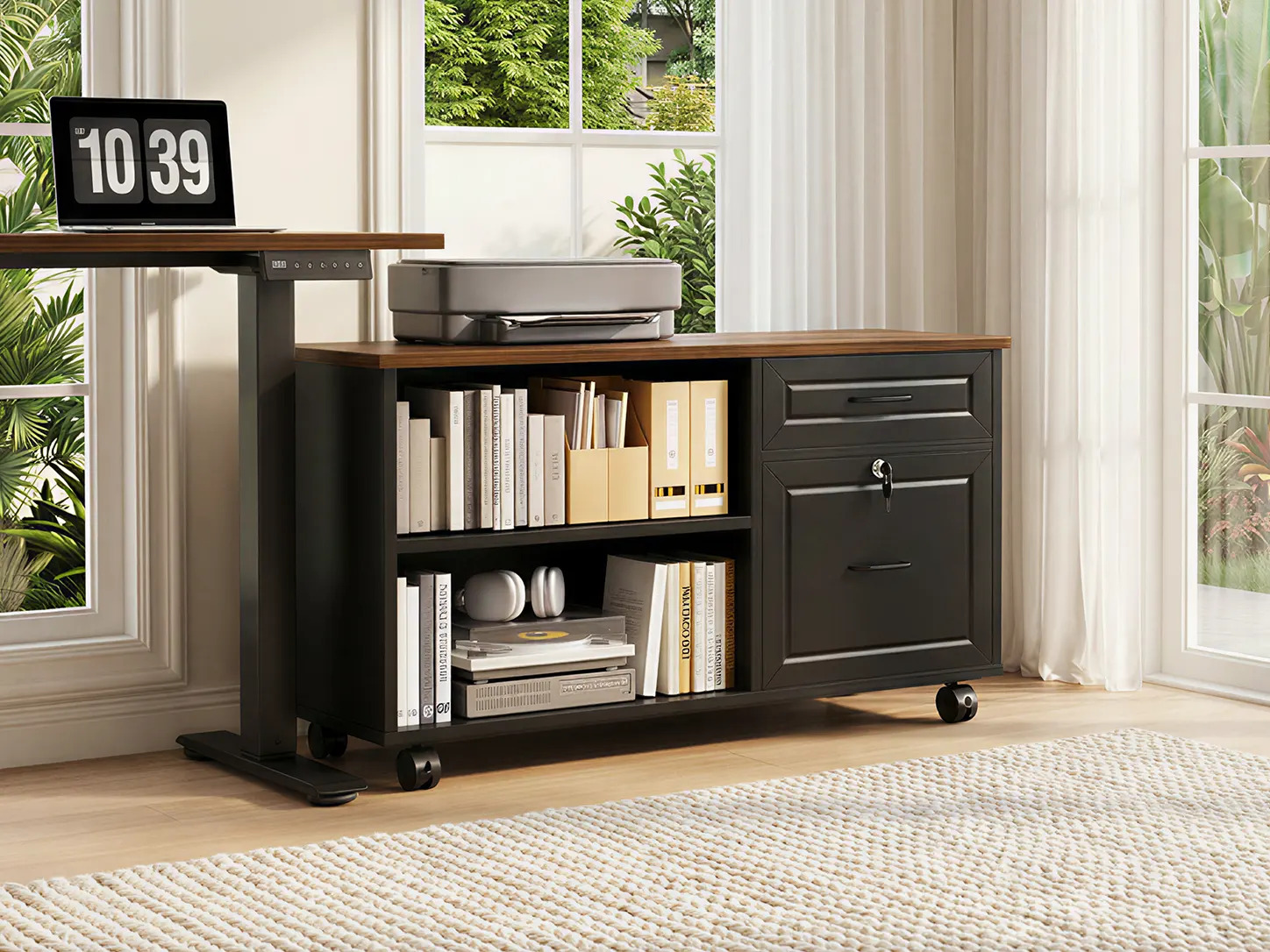
A closer look at the OffiGo mobile file cabinet, combining open shelving, lockable drawers, and a spacious top surface for office equipment.
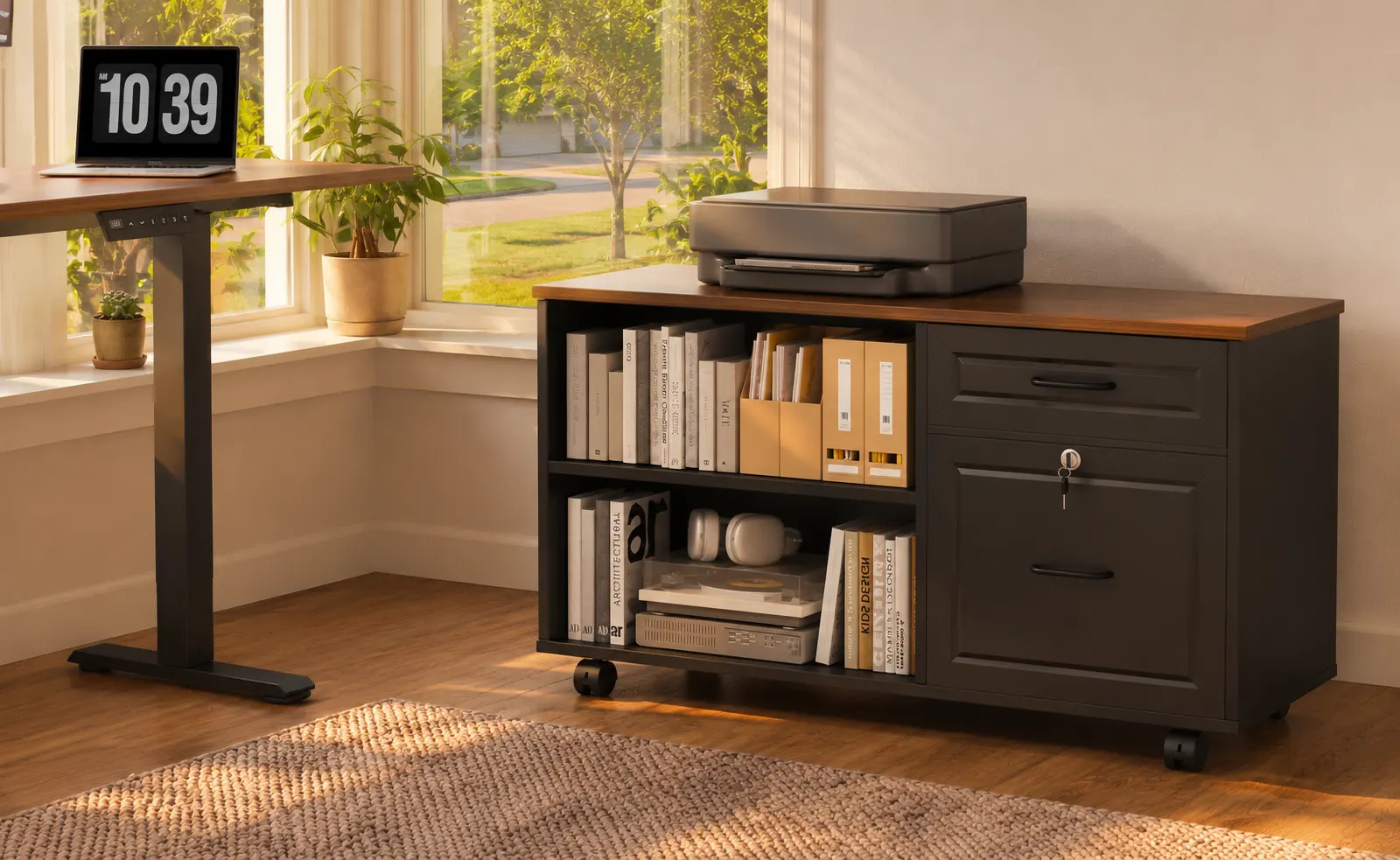
The rolling file cabinet keeps books, documents, office supplies, and a printer organized within easy reach of the standing desk.

A bright home office setup featuring an OffiGo standing desk and matching mobile storage cabinet for a more organized, flexible workspace.

An evening workstation designed for focused work, with a height-adjustable desk, multiple monitors, and mobile storage for office essentials.
The new buyer guide compares storage, cable control, legroom, and clutter management for remote, hybrid, and storage-heavy workstations.
AZUSA, CA, UNITED STATES, July 13, 2026 /EINPresswire.com/ -- Standing desks with storage solve one workspace problem and can create another. Drawers, cabinets, printer shelves, cable trays, and power strips can clean up the desktop, but if they sit in the wrong place they can turn the seated position into a constant clearance problem. A buyer may gain storage capacity while losing the open knee path that makes a sit-stand desk comfortable enough to use every day.
For many remote and hybrid workers, storage choices shape the way the desk works every day. The same surface may need to support focused computer work, paperwork, video calls, device charging, cables, notebooks, and shared household constraints in one footprint. When clutter and cable routing are handled poorly, the problem is not only visual mess. It changes how easily the user can reach tools, switch between tasks, and keep the workstation ready for the next work session.
OffiGo has published a new standing desk storage and legroom guide for buyers comparing standing desk brands, storage formats, and room layouts. The guide focuses on a practical question: how can a desk keep files, devices, chargers, and daily supplies organized without pushing storage into the primary leg zone?
The guide reviews OffiGo, UPLIFT Desk, FlexiSpot, Autonomous, and Branch by storage strategy rather than by brand reputation alone. Its main conclusion is that the best storage choice depends less on the number of drawers and more on where those drawers or cabinets sit relative to the user at seated height. A shallow drawer can work well when it is offset. A mobile file cabinet can work better than a fixed center drawer when the user needs document storage, printer support, or a room layout that may change. A modular ecosystem can be useful if the buyer is willing to test placement instead of installing accessories wherever they happen to fit.
Guide Findings
The new guide highlights five evaluation points for storage-heavy standing desks:
First, the center knee path should be treated as a clearance zone. When a user sits close to the desk edge for typing, the space directly under the front-center area is usually where the thighs and knees travel. Deep drawers, low-mounted trays, and rolling cabinets are most likely to cause friction when they occupy that zone.
Second, storage volume and legroom should be judged together. A small drawer may be enough for chargers, pens, notebooks, adapters, and small office tools. A larger cabinet makes more sense for paper files, books, a compact printer, binders, and shared office supplies, but only if it can sit beside the primary work position or under an L-shaped return instead of directly in front of the chair.
Third, an L-shaped layout can create separate work zones. A main surface can hold the monitor, keyboard, laptop, and mouse, while the return side can hold documents, a printer, reference materials, or storage. That separation matters for people who work with dual monitors, administrative tasks, client documents, business reporting, or research workflows where the desk becomes a workstation rather than a simple laptop table.
Fourth, cable planning remains part of storage planning. Some standing desks include built-in outlets and USB ports. Others leave power selection to the user. Neither approach is automatically better. Built-in power can reduce surface clutter, while a desk without integrated power may give buyers more control over surge protection, cable routing, and equipment placement. In both cases, cables need enough slack for the full height range and should not cross drawer paths or cabinet edges.
Fifth, buyers should test the seated layout before judging the storage. The guide recommends checking where the chair rolls, where the knees point, where the feet naturally land, and where a printer or file cabinet will sit when the desk moves between sitting and standing heights.
The same storage questions also come back after the initial purchase. A buyer may use the same criteria when adding a second monitor, moving the desk to another room, changing from laptop-only work to printer-supported work, or deciding whether a larger cabinet is worth the floor space. That makes placement, cable slack, chair clearance, and storage capacity useful checks both before and after the desk is assembled.
How Buyers Can Use The Criteria
The guide recommends starting with a simple inventory of the workday rather than the furniture category. Buyers can separate items into three groups: tools used constantly, tools used several times a day, and items that only need to stay nearby. A keyboard, mouse, notebook, laptop, headset, and phone charger usually belong close to the seated position. Paper files, printer paper, spare cables, manuals, books, and office supplies can sit farther away as long as they remain easy to reach. That distinction helps buyers avoid overloading the main desktop with items that do not need to be in the primary work zone.
For laptop-first workers, a small drawer or open shelf may be enough if the setup rarely includes paper files or a printer. For hybrid workers who alternate between video calls, paperwork, and device charging, storage becomes more important because the desk must reset quickly between tasks. For users handling forms, invoices, client folders, teaching materials, or business records, a side cabinet can prevent the desktop from becoming a temporary pile of documents. In those cases, the storage decision is not mainly about hiding clutter. It is about keeping active work visible, stored work reachable, and leg movement clear.
The guide also asks buyers to think in time periods. A desk that works on day one may feel different after a monitor arm, printer, microphone, tablet, dock, or second screen is added. A fixed center drawer may feel harmless with a laptop but restrictive once the chair needs to move closer for long typing sessions. A small desktop may look clean before equipment arrives but become crowded once chargers, notebooks, and work documents enter the routine. A storage format that can be moved, offset, or expanded is often easier to live with when the setup changes.
Before ordering a desk, buyers can use a few practical checks. They can measure the chair width and the space needed to roll in and out. They can mark the likely knee position under the desk. They can decide where the printer, router, dock, or power strip will sit. They can also identify whether the room has wall outlets on the left, right, or behind the desk. These basic checks can prevent common mistakes, such as placing a cabinet where the chair needs to travel or choosing built-in power that sits on the wrong side of the workstation.
Product Context
For buyers who want a more workstation-style setup, the guide now calls out the OffiGo 55-inch L-shaped standing desk with movable file cabinet as the storage-forward model to evaluate. The desk uses a 55.1-inch by 23.6-inch work surface and pairs it with a separate 39.4-inch by 15.8-inch by 18.7-inch file cabinet. The electric height range is listed as 28.4 inches to 47.2 inches, and the control panel includes an LED height display with three programmable memory buttons.
The cabinet is the important design detail. Instead of placing a deep storage box under the main typing area, the cabinet can be arranged on the left, on the right, or inline depending on the room. It can also be moved or fixed in place, giving users the option to keep the center leg path open while still creating room for folders, office supplies, books, or a printer. That makes the product especially relevant for administrative workstations, documentation-heavy home offices, and dual-monitor setups where storage needs are larger than a shallow pencil drawer can handle.
The dimensions also help buyers understand the fit before they compare style or finish. A 55.1-inch by 23.6-inch primary work surface is large enough for many focused setups, but it still requires planning if the user expects to run two monitors, a laptop, speakers, a dock, and notebooks at the same time. The 39.4-inch-wide cabinet changes the calculation because it can act as a side work zone rather than only a storage box. It can hold a compact printer, paper, files, books, or office tools while keeping the main typing area clearer.
In a review-style comparison, the movable cabinet is most useful when the user has storage volume that does not belong directly under the knees. The buyer can place the cabinet on the side used less often for chair movement, keep active documents within reach, and leave the central underside open. If the room is narrow, the buyer should confirm that the cabinet does not block a walkway or door swing. If the desk will sit in a corner, the buyer should decide whether the return side is better for documents, equipment, or open elbow space.
The model does not include built-in power outlets or charging modules. In a review-style comparison, that is a tradeoff rather than a flaw. Buyers who want the cleanest possible out-of-box charging station may prefer a desk with integrated AC, USB, and Type-C ports. Buyers who already use specific surge protectors, docking stations, desktop power hubs, or cable sleeves may prefer the freedom to build their own power route around the movable cabinet and the sit-stand travel path.
That power decision matters most for people with multiple devices. A dual-monitor user may need display cables, a dock, monitor power, laptop charging, lighting, and a phone charger. A printer-supported setup may add another power cord and a USB or network cable. A desk without built-in outlets gives the buyer more responsibility, but it also lets the buyer place the power source where the equipment actually sits. The main requirement is to keep enough slack for the full 28.4-inch to 47.2-inch height range and prevent cables from rubbing against the cabinet or crossing drawer paths.
The guide also separates OffiGo's product direction from other storage strategies in the market. UPLIFT Desk is treated as a modular option for users who want to place drawers, cubbies, and accessories over time. FlexiSpot is framed around compact integrated drawers for small-item organization. Autonomous is discussed for swivel-style quick-access storage that can move away from the knees. Branch is framed as an office-furniture ecosystem where buyers should check how cable trays, drawers, file pedestals, and desk size work together before committing to the layout.
These comparisons help buyers match storage style to actual work patterns. Integrated drawers can be convenient when the main problem is small-item clutter: pens, sticky notes, adapters, remote controls, and chargers. A swivel drawer can help when quick access matters but the buyer does not want a fixed obstruction in the center. A modular system can work well for buyers who want to add storage over time. A movable cabinet is more appropriate when the workload includes documents, supplies, books, or a printer that would overwhelm a shallow drawer.
The guide does not treat any single storage style as the universal answer. Instead, it gives buyers a way to ask better questions. Is the clutter mostly small accessories or paper? Does the user need a printer within reach? Does the chair need to roll between a main surface and a side surface? Will the desk sit against a wall, in a corner, or in the middle of a room? Are power outlets close enough to the side where devices will sit? Will the user add monitors or change equipment later? Each answer changes which storage format makes the most sense.
The practical lesson is that a standing desk with storage should be evaluated like a workspace system. Surface dimensions, cabinet dimensions, height range, memory presets, storage location, chair clearance, cable paths, and clutter behavior all affect the daily experience. A desk may look organized in a product photo and still feel crowded if the user cannot sit naturally. Conversely, a storage-heavy setup can work well when the storage sits beside the work position instead of occupying the center leg track.
OffiGo's guide encourages buyers to choose the storage format after mapping the room and workflow. People with paper files, a printer, and office supplies may need a side cabinet. People with a laptop, a charger, and small accessories may need only a shallow drawer. People who expect to rearrange equipment may benefit from modular add-ons. People choosing an L-shaped workstation should confirm that the return side supports the storage they need without blocking the chair path.
Room planning is especially important for L-shaped desks because the return side can either solve the workflow or create another obstacle. If the return holds documents and printer supplies, the main surface can stay dedicated to typing and screen work. If the return becomes a pile of unrelated items, the user may still feel crowded despite having more desktop area. The guide encourages buyers to assign a role to each zone: primary screen work, document handling, charging, printing, storage, or open temporary space. That makes the desk easier to evaluate before purchase and easier to keep organized later.
Buyers should also separate permanent storage from active storage. Permanent storage holds supplies that do not need to be seen during every task. Active storage holds documents, devices, and tools that move in and out of the workday. A file cabinet can support both, but only if the user decides which shelf or drawer serves which purpose. Without that distinction, even a large cabinet can become a general catchall. With it, the cabinet can reduce desktop clutter while keeping the items that matter close enough for real work.
The updated comparison is designed for buyers searching for a standing desk that can organize real work, not just display a clean desktop. For storage-heavy users, the main question is not simply which desk has the most drawers. The better question is which storage strategy keeps the work surface usable, the seated posture natural, and the under-desk area clear enough for everyday sit-stand movement.
For remote and hybrid workers, the same desk may need to operate as a workstation, meeting space, document station, charging area, and household office at different points in the week. A useful storage setup should support those daily routines after monitors, papers, cables, and accessories are added, not only look tidy in an empty-room product photo.
The guide's final recommendation is to compare storage by daily friction. If the user constantly moves papers out of the way before typing, more document storage may be needed. If cables are pulled tight during height changes, power planning should come before drawer selection. If the chair bumps into the cabinet, the cabinet should move or the desk format should change. If the desktop stays clear but important tools are hard to reach, the storage may be too far from the active work zone. These small checks often reveal more than a feature list.
The full guide, OffiGo L-shaped standing desks, and the related product page give buyers a way to compare storage formats before committing to a desk layout.
OffiGo Workspace Team
OffiGo – Professional Workspace Solutions
Creator@offigo.com
Visit us on social media:
Instagram
YouTube
X
Legal Disclaimer:
EIN Presswire provides this news content "as is" without warranty of any kind. We do not accept any responsibility or liability for the accuracy, content, images, videos, licenses, completeness, legality, or reliability of the information contained in this article. If you have any complaints or copyright issues related to this article, kindly contact the author above.
